Branding
how to create a new brand
Written By Lukas Pavelka
Last updated 22 days ago
The plugin is able to create a new brand that you can paste into your Apps screen. It is a great to save your one style that you can re-use in the whole Power Apps.
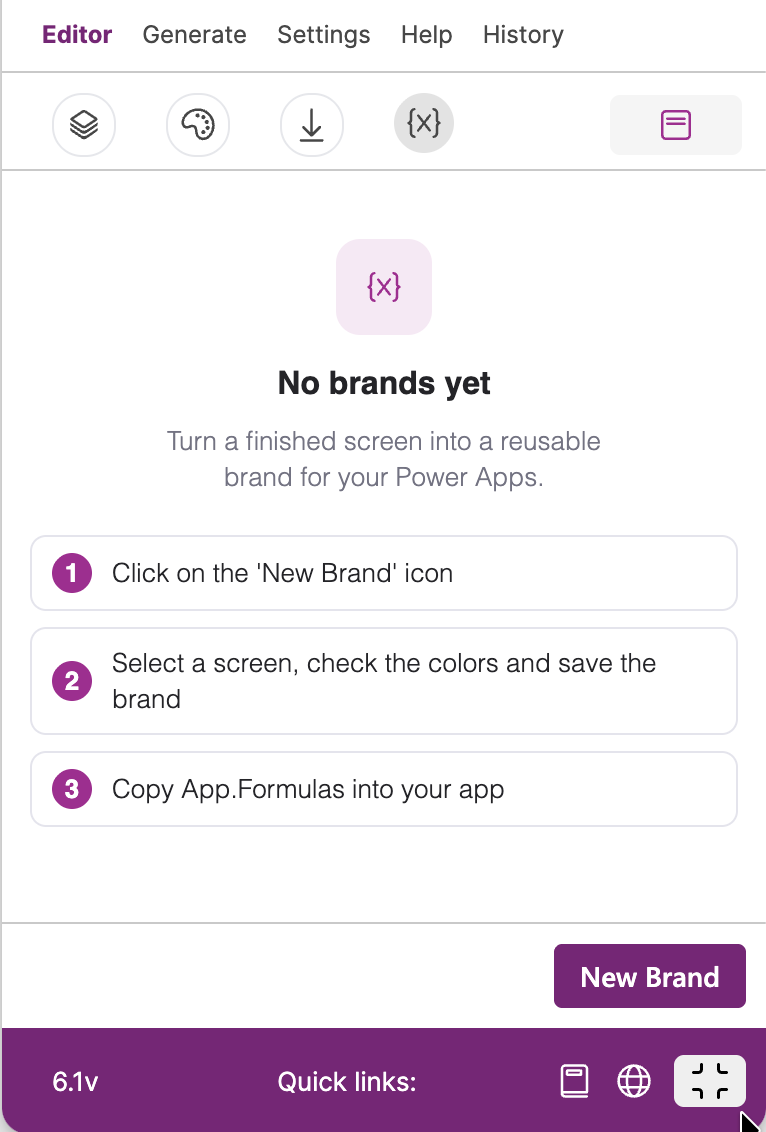
How to add a new brand
It is very easy to add a new brand. You just need to click on the “New Brand“ button at the bottom of the plugin. Then you will be able to choose a screen in the Figma file, the plugin will check the screen, and find the most used colours, fonts, and spaces.
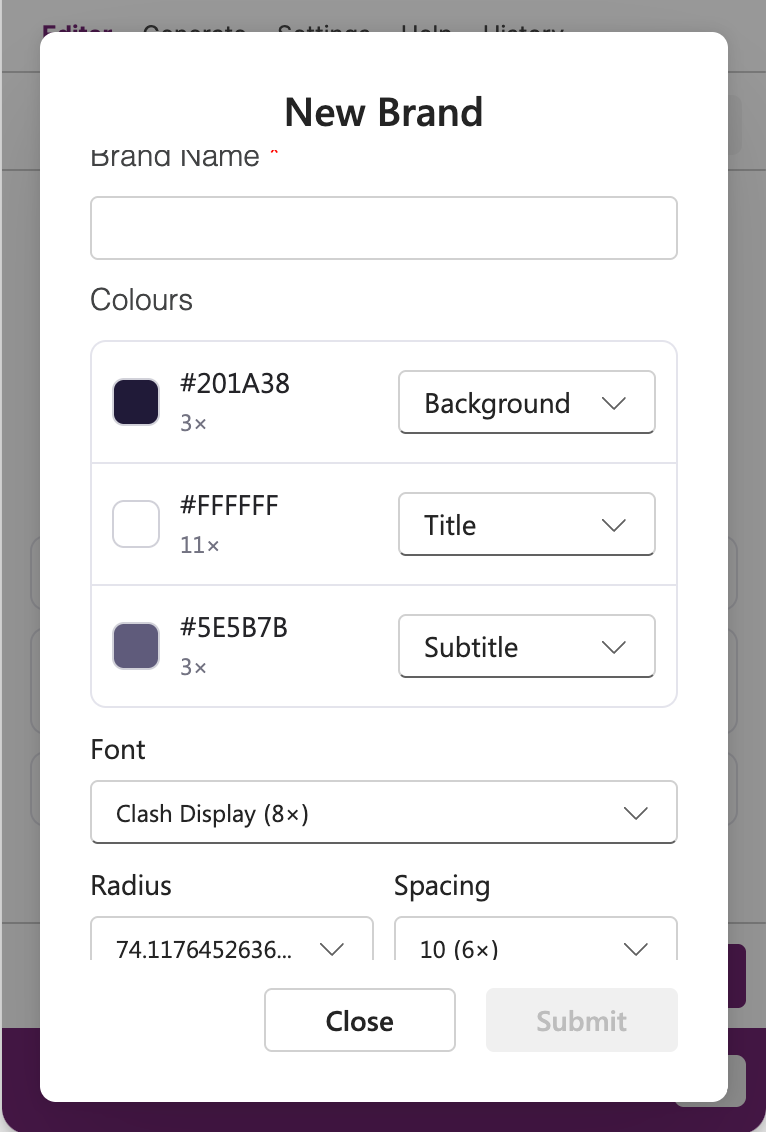
Only you need to fill the name of the brand and click on the “Submit“ button. The plugin will save the brand in the storage and you can copy the brand code into the clipboard and paste it into your Power Apps.
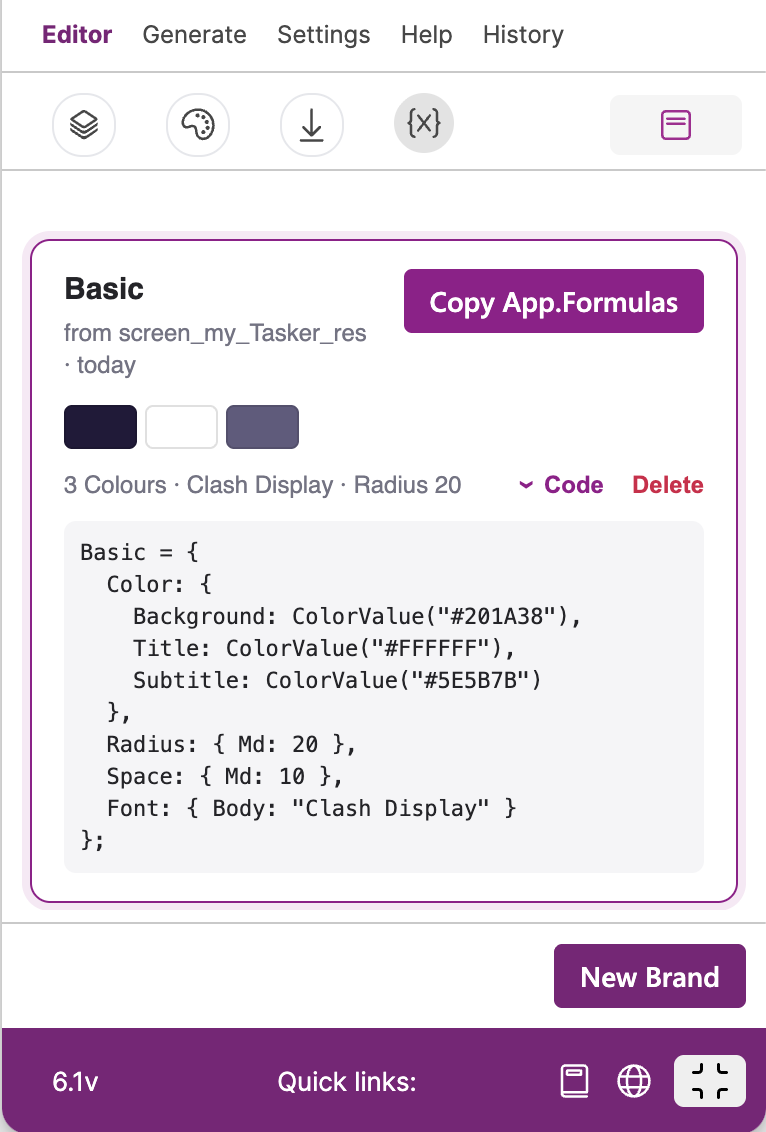
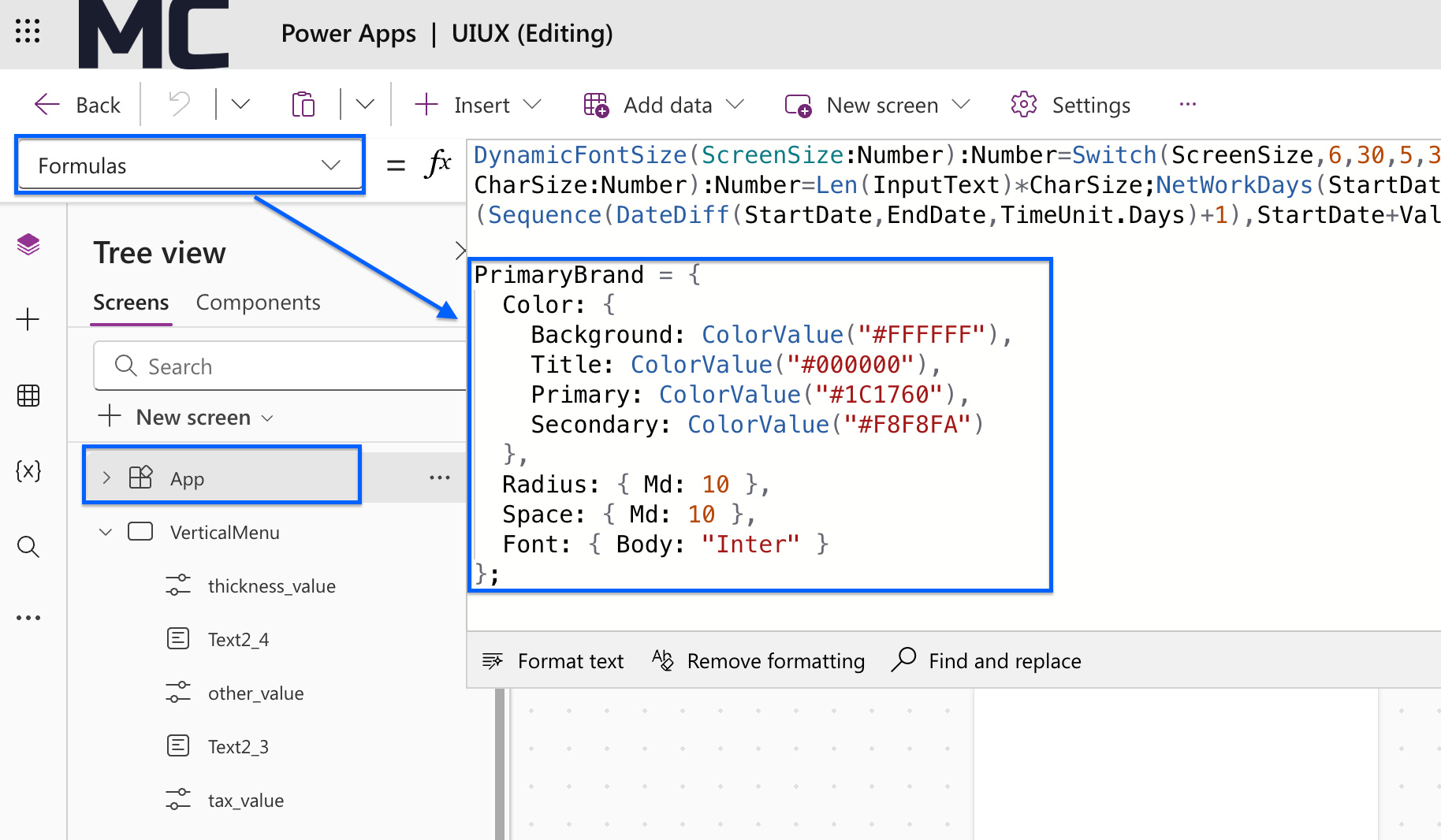
When you paste it into App screen under Formulas property in Power Apps, you will be able to use the brand in the whole Canvas app.
How to remove a brand
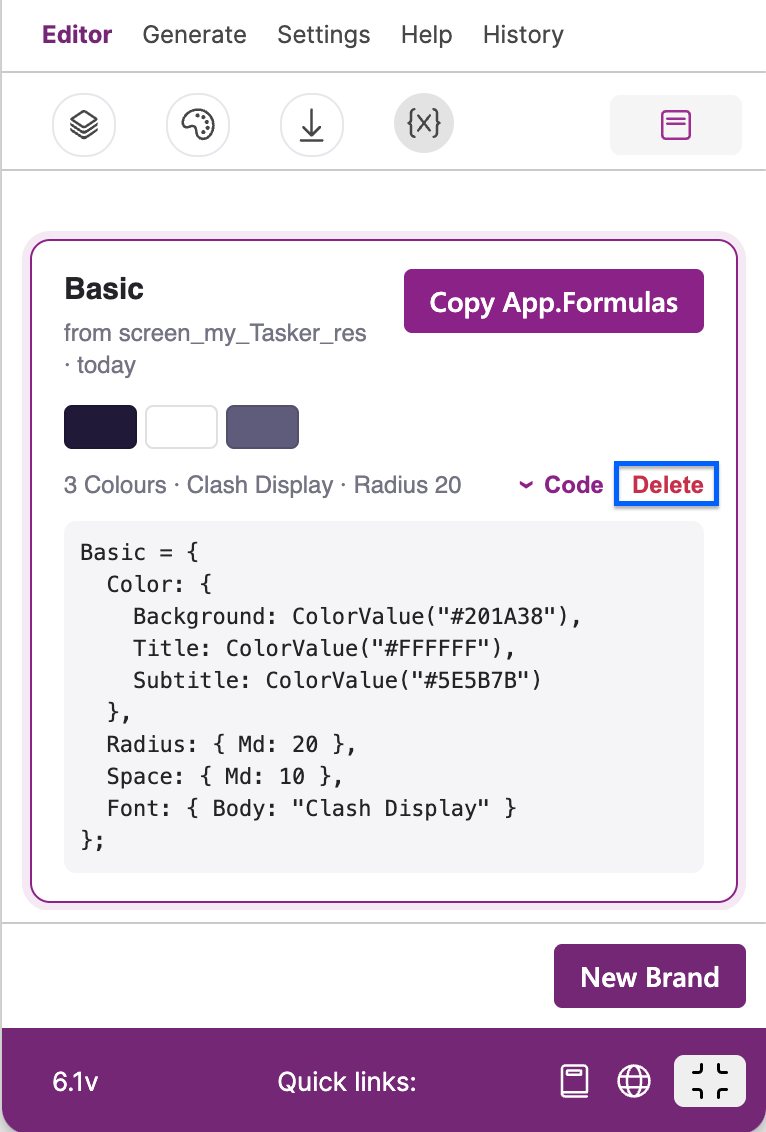
Go to the Brand screen in the plugin and click on the “Delete“ title of the selected brand.
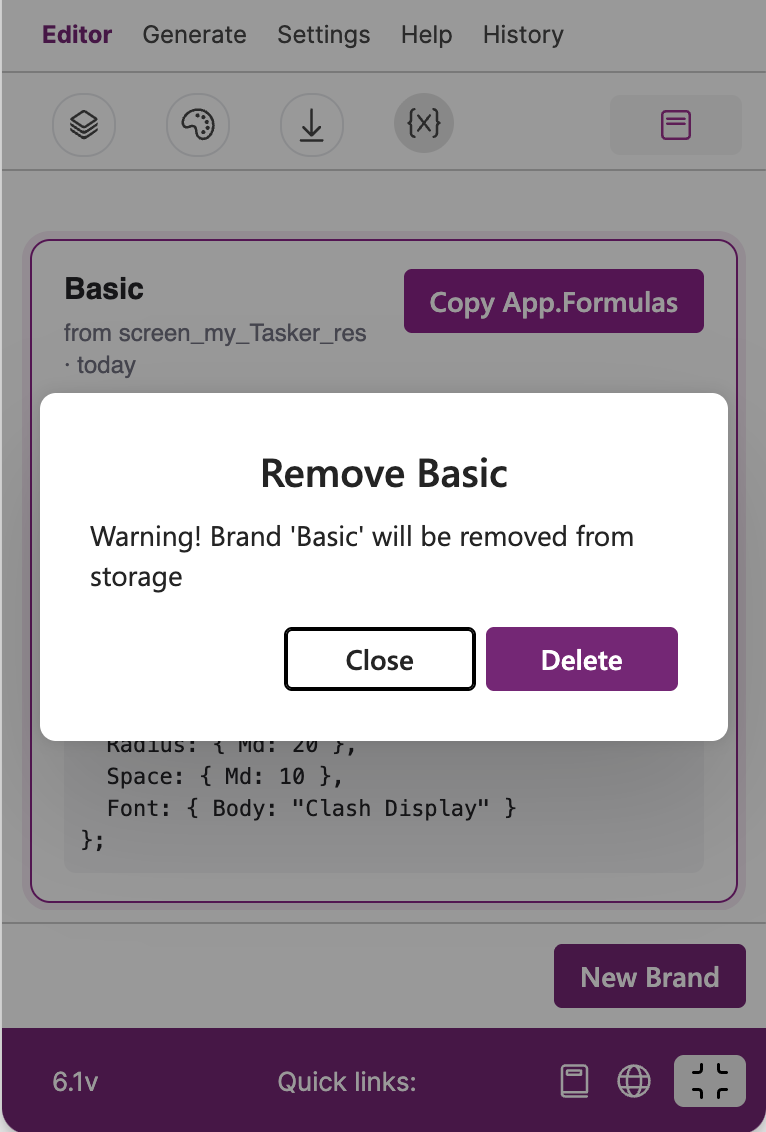
Then the popup will ask you to confirm the deletion.
Was this helpful?
Still need help? Ask the team