Meets the Plugin
Overal information about handling with plugin
Written By Lukas Pavelka
Last updated 20 days ago
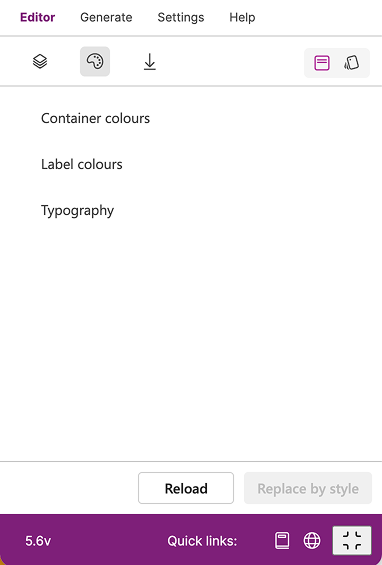
Plugin contains 4 tabs on the top, where 3 are available in FREE version and 4 in PRO. Every tab has particular reason and contains various functions. Let’s introduce all of them:
Skeleton of the plugin

Editor - shows a content of your selected frame in Figma with supported prefixes
Generate (alpha) - AI chat to generate your modern controls for Power Apps
Settings - basic settings with info about your FUID (Figma User ID) and extra properties (only in PRO version)
Help - help content of important links, book a session, or list of available prefixes
History - help to visualise summary of used actions and compare 2 versions of selected control/screen
Let’s deep dive into concrete tabs and show you possible features.
How to work with Editor
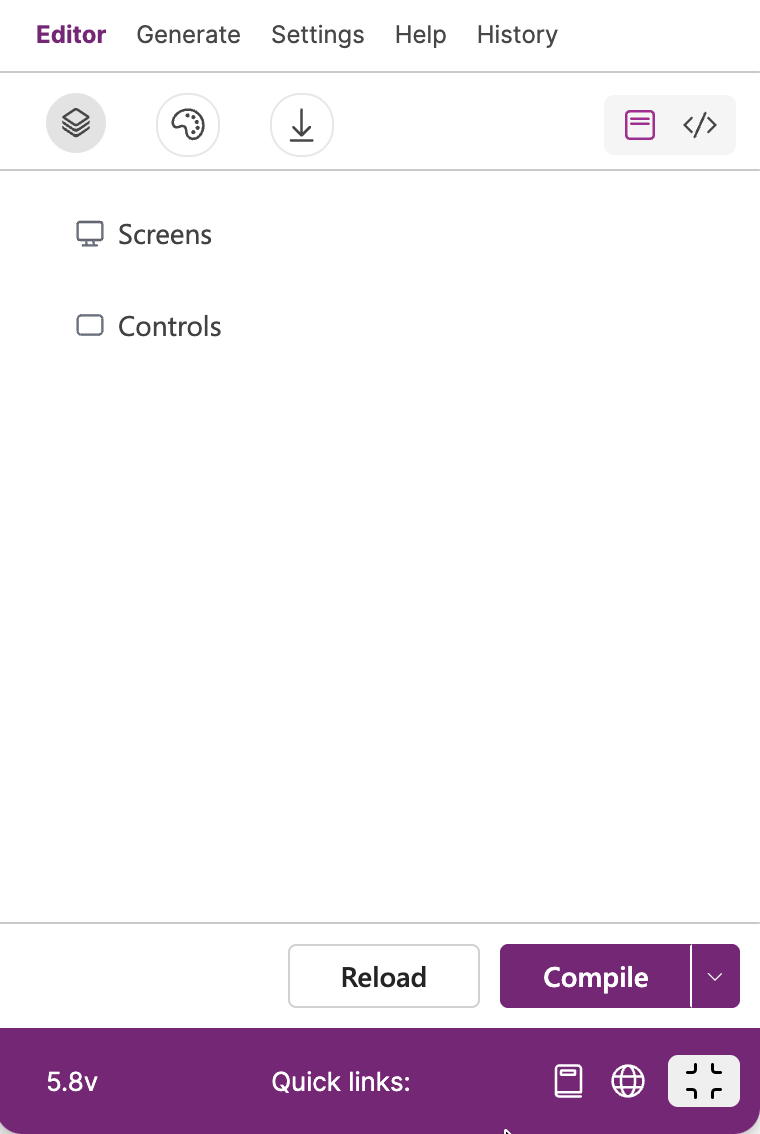
Editor helps you to manage your created design in Figma to prepare on export to Power Apps. Editor contains 2 views - Layout and Code.

Layout - shows list of selected screens/controls of prepared nodes in Figma with supported prefixes.
Code - visualises the YAML code of selected screens/control
Editor also has other sub items that help you to manipulate with your design:

Theme & Style - helps to re-design your selected screen/control by chosen design token or saved style
Import - imports YAML file and Base64 image into Figma file
Editor also provides couple of actions on the bottom action panel
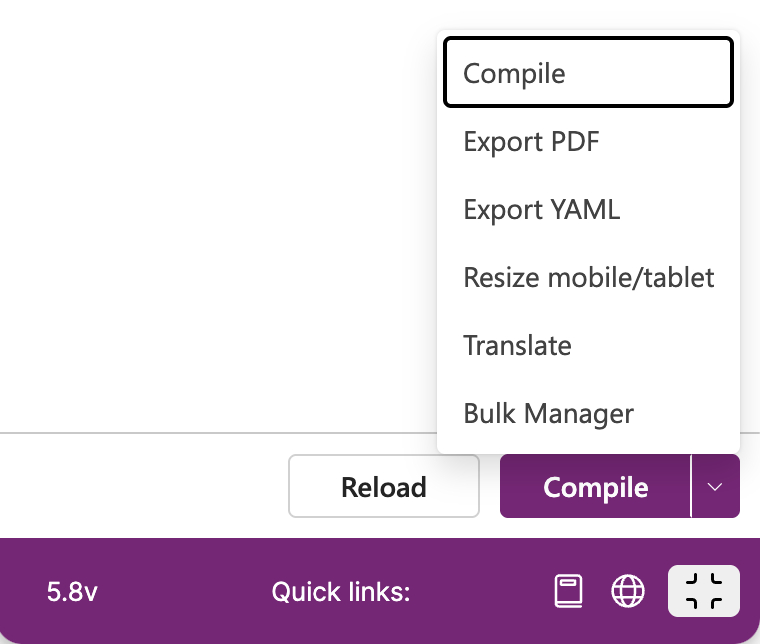
Compile - generation of prefixes automatically by selected nodes (frames, texts, ellipses etc..) in Figma to compile it for exporting into Power Apps. In other words, if you do not know how to use prefixes, this button will help you to make your selected design compatible with this plugin
Dependency model - creates a dependency model of selected screens in Figma to visualise dependencies between screens (based on Navigate property from Power Apps)
Export PDF - exports selected screens and dependency model into PDF file and make design system in Figma file
Export YAML - exports selected screens/control into YAML file or ZIP file for multiple screens
Resize mobile/tablet - resizes selected screen into mobile or tablet layout
Translate - translates selected screen(s) into chosen language
Bulk Manager - change and replace all prefixes/suffixes or searched texts in naming of selected layers
How to work with Generate
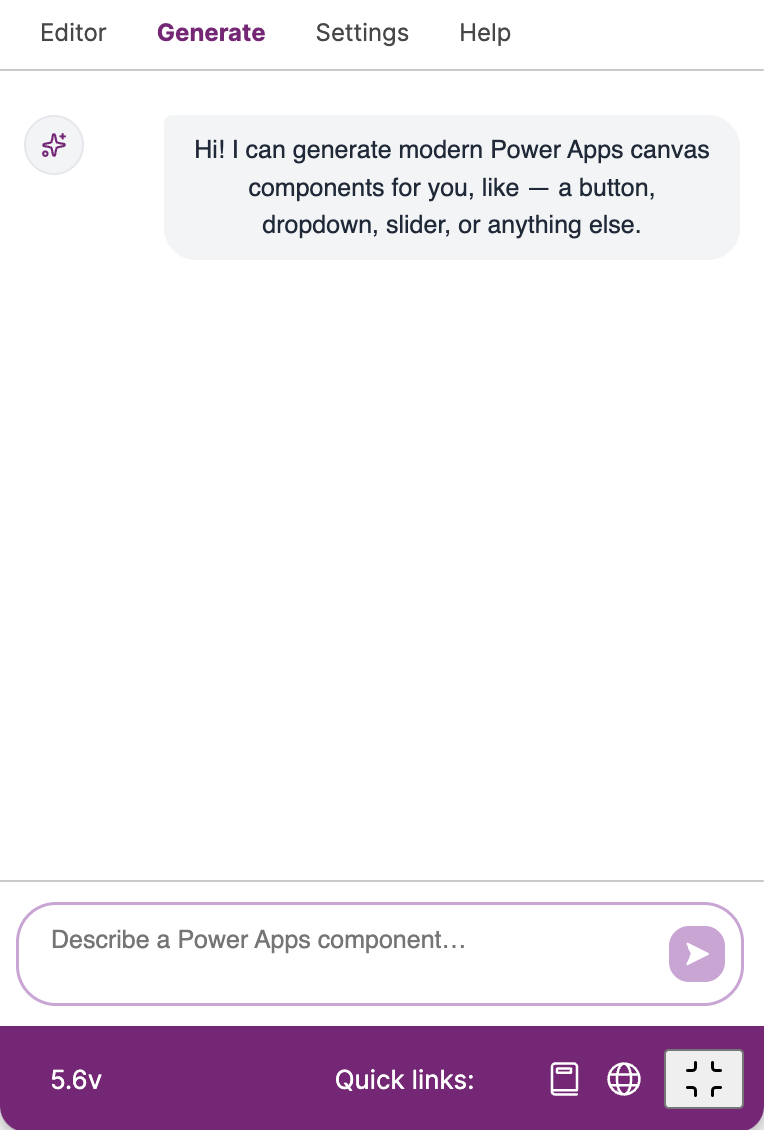
This tab works with prompts, where you can generate modern controls. In next versions you will be able to create custom controls for Power Apps.
AI chat is in BETA version. This feature is still under development
The output of the requested prompt is connected to GPT-4-MINI and generated in your Figma file.
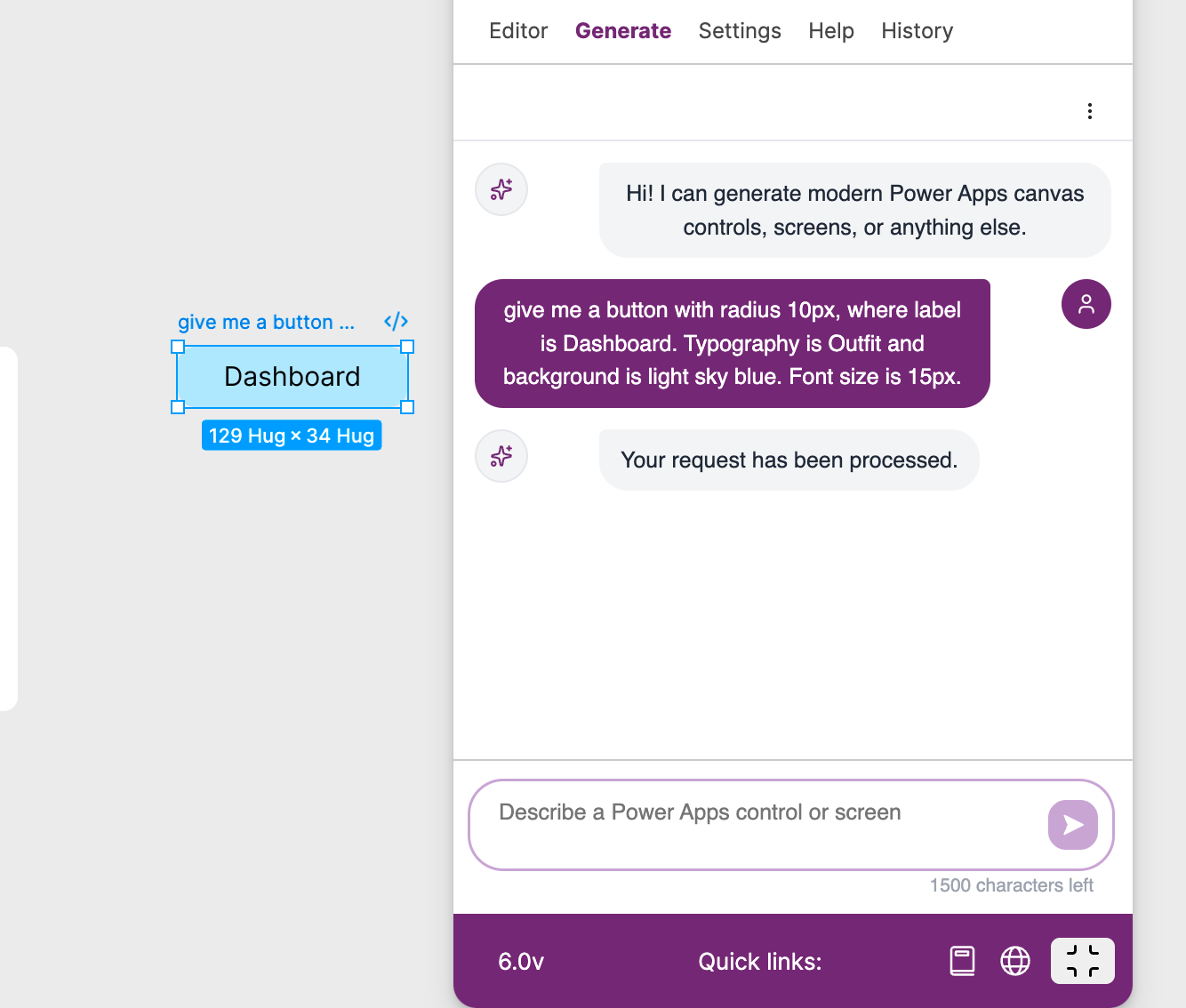
More info about how to use this functionality, please read AI Chat (alpha)
How to work with Settings
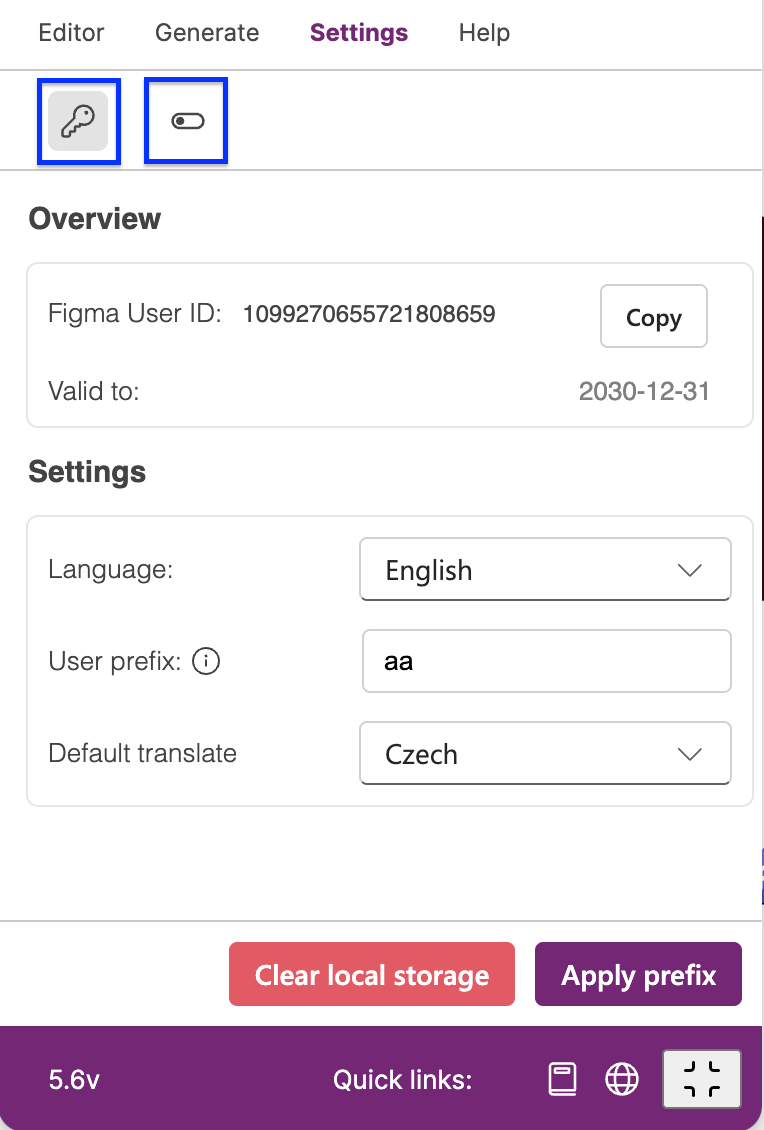
In this tab you can see two icons. The first represents info about your Figma User ID with validity, and general settings of the plugin. The second icon hides extra properties for the plugin and it is visible only in PRO subscription. More info about settings read Settings .
How to work with Help
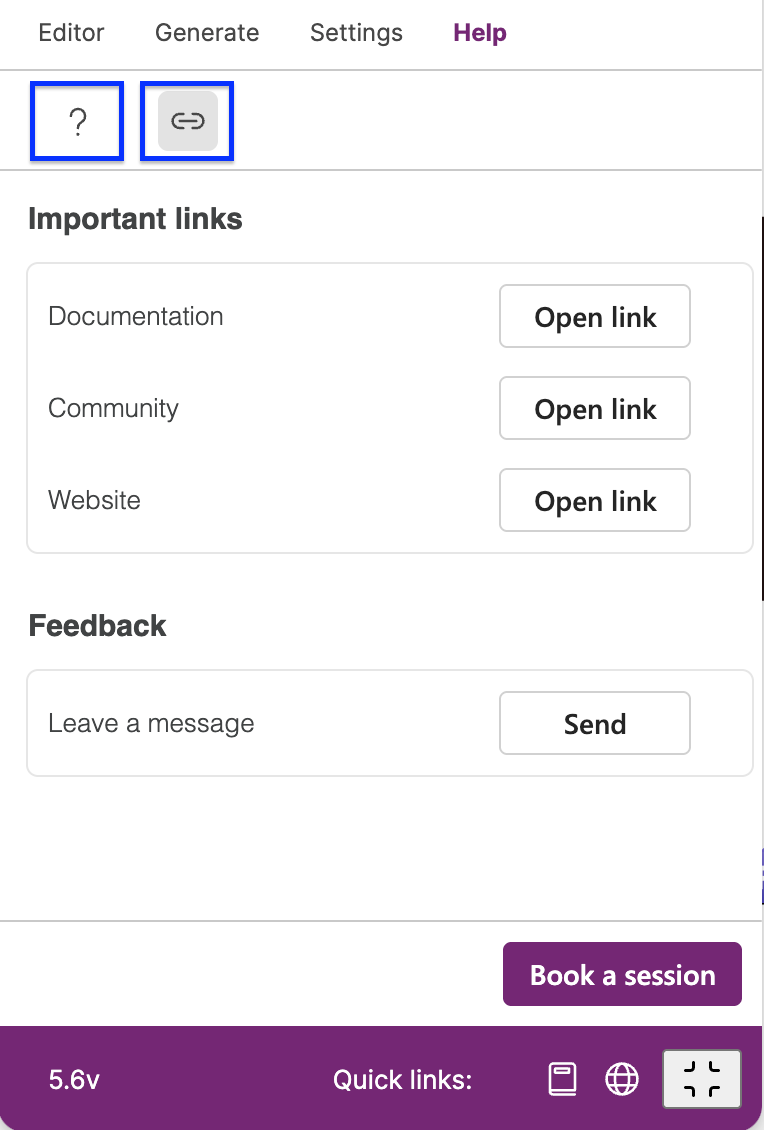
Helps tab is mainly to give you a hand with understanding of this plugin, like what prefixes are supported, where to find documentation, leave as a feedback, or join our community. More info is located here Helper 🆓
Bottom panel

On the bottom of this plugin you can see couple of information, like actual version of the plugin, GET PRO button if you have FREE subscription, quick links for documentation and official website, and maximise/minimise plugin.